Previews layouts and links
Depending on your permissions, you can also generate a Preview link. This allows you to share a draft of a piece of content with another person for time you specify.

The preview can be viewed by anyone with the link, so caution should be taken when sharing unpublished content.
Sharing a Preview link for multiple pages
It's now possible to create a single link for a Guide, Step by Step and Subsite, so you don't have to send individual links to each pages. Go to an overview page then click on 'Preview link' and you should see the child pages have been automatically added.
If you don't see this happening:
- update localgov and code for each content format: Guides, Step by Step and Subsites
- when logged in, go to Config > Content Authoring > Preview Link settings and turn 'Multiple entities' on
- if neither work, ask your developer or post a message in #group-content and we'll help
Previewing multiple pages at once doesn't work in Directories or on Subsite pages yet. We're working on this and will keep you posted.
Setting the Preview link expiry time
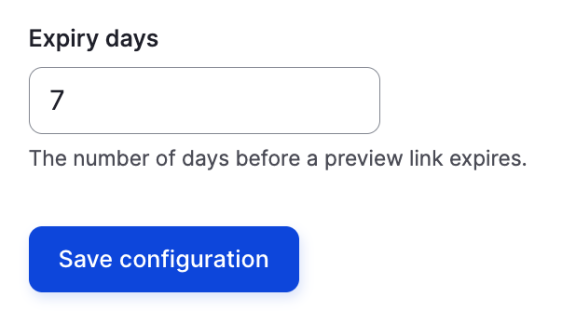
You can now decide how long a preview link will continue working. It's a single value for all preview links you send, rather than a different value for each one.
To set the expiry time:
- go to Configuration > Preview link settings
- scroll to the foot of the page and you'll see this field
- Enter the number of days you would like the preview link to last
- Click 'Save configuration'