
Service landing page content type
Use a service landing page for the homepage of a section. For example:
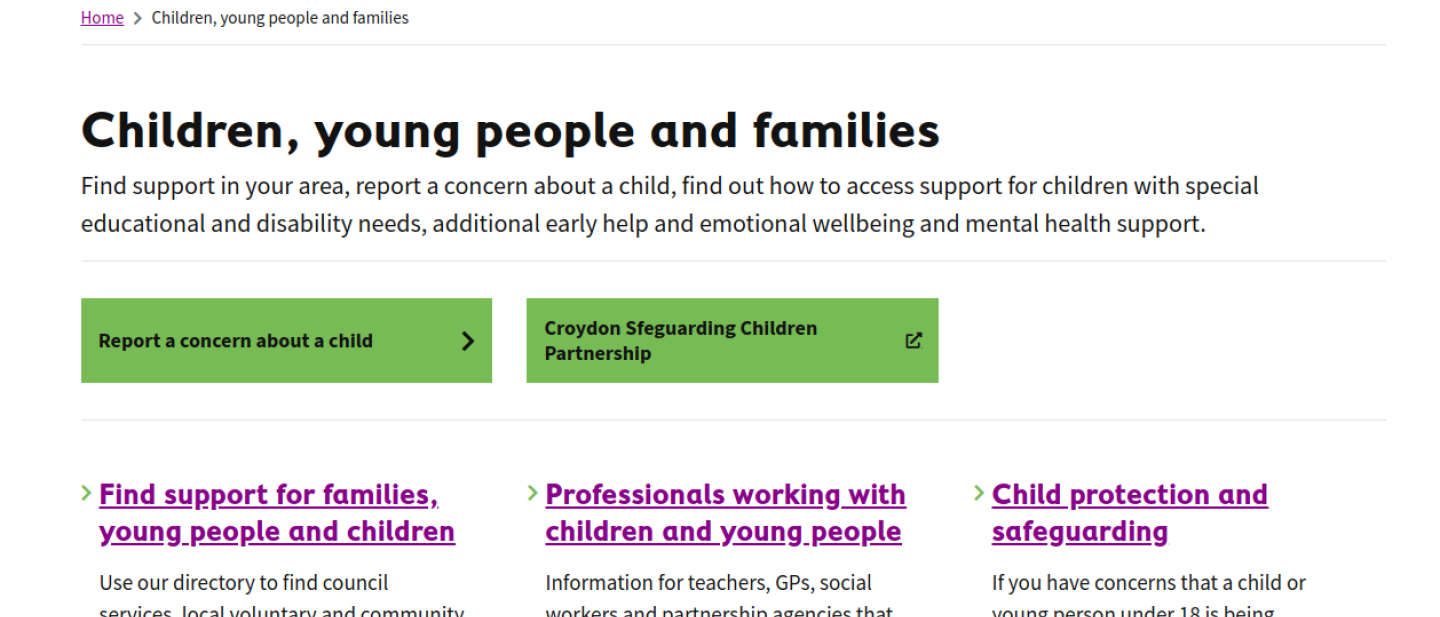
Image caption: A screenshot of Croydon's Children, young people and families Service Landing Page, showing the title, an introductory paragraph, two common task links and a list of links to Service Pages and Service Sub-landing Pages, each displayed with a title and summary. Source: Croydon.
It's common to link to service landing pages from the homepage of your website.
Provide a summary
Your summary should provide more information than what the title suggests. It should include what a user can do and find out in the section. Read the guidance on summaries.
Example:
Title: Rubbish and recycling
Summary: Household recycling and rubbish collection service and collection times, what you can recycle, how to report a problem, and street cleaning.
Adding top tasks
'Top task' links allow quick access to high priority tasks within a section. Just click the 'top tasks' tab and add urls and link text.
Talk to your service team to understand what the top tasks are within a section and use analytics to see what pages users engage with most. Monitor this over time and change it according to users' needs.
Tasks can be tagged as either "Action" or "Information" - these may display differently depending on how your theme is set up.
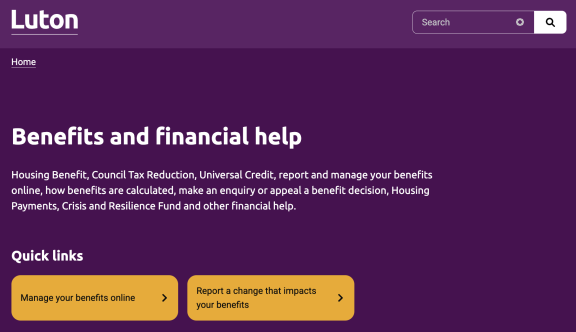
Image caption: Screenshot from the Luton Borough Council showing 'Quick links' with top task buttons underneath for Benefits and financial help.